Y~Y Plot
Example - Points and a-b-line
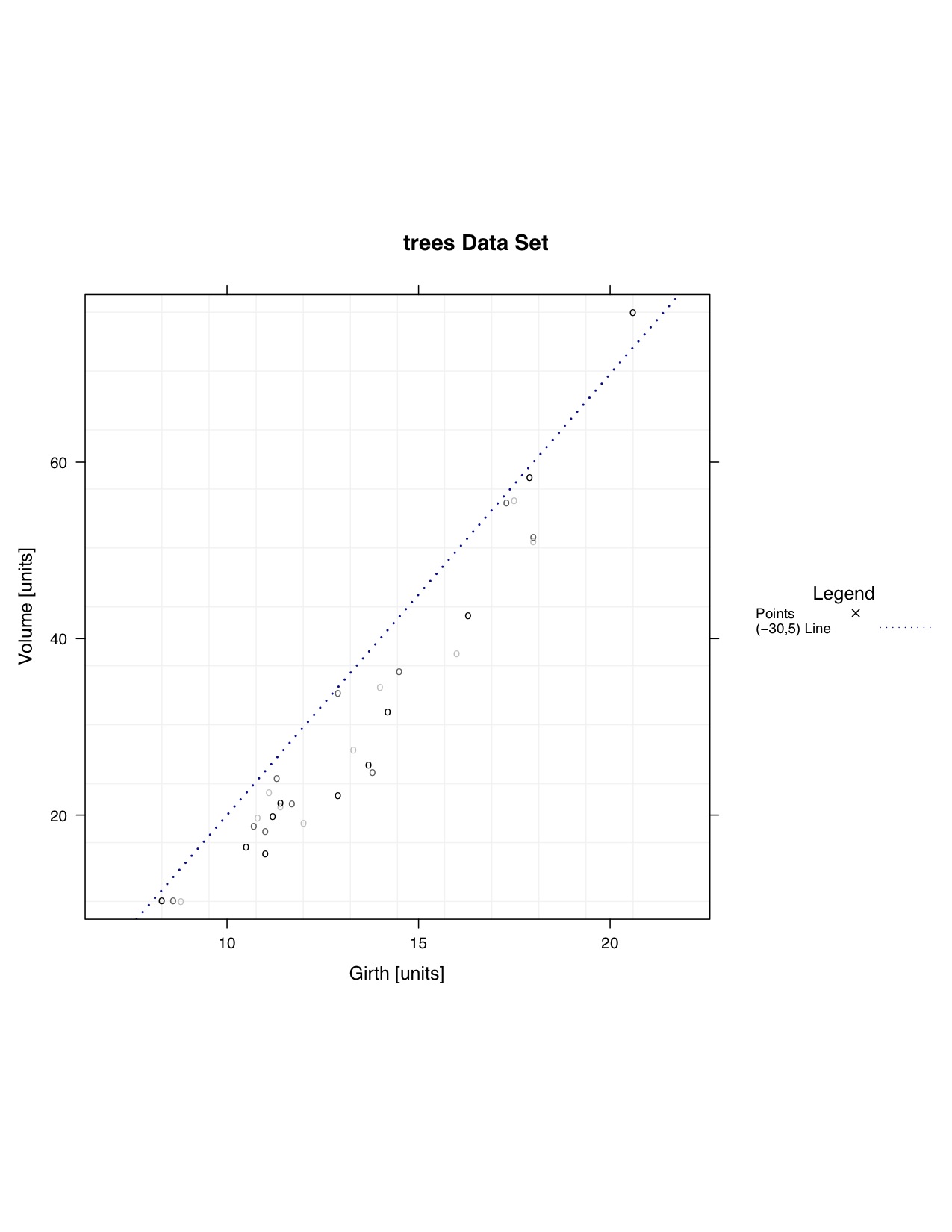 |
Code Used
### Using a toy data set due to example data sets not having more than one Y variable
#pdf(file="F:/Website/yyplot/lattice/latticeyy-points-abline-large.pdf", width = 8.5, height = 11)

### Import Data
  data <- trees
#  split.column <- NULL # |as.factor(criteria) was removed

  data.to.plot <- list()

  data.to.plot$x <- data[,"Girth"]  #x
  data.to.plot$y <- data[,"Volume"]  #y

  x.min.lim <- min(data.to.plot[["x"]])
  x.max.lim <- max(data.to.plot[["x"]])
  y.min.lim <- min(data.to.plot[["y"]])
  y.max.lim <- max(data.to.plot[["y"]])

  range.largest <- max(c(y.max.lim-y.min.lim),c(x.max.lim-x.min.lim))

  data.to.plot$x.lim <- c(x.min.lim,x.max.lim)
  data.to.plot$y.lim <- c(y.min.lim,y.max.lim)

  bw <- FALSE

  library(lattice)
### End Import

### Panel Function

  function.of.panel <- function(
    x,
    y,
    data.to.plot.in.panel = data.to.plot,
    black.and.white.in.panel = bw,
    subscripts
  ){
  cat("\n\n\nPacket", packet.number(),"\n")

  #### Grid
    plot.grid(
      x.divisions = 10,
      y.divisions = 10,
      grid.color = "grey95",
      x.limits = data.to.plot.in.panel[["x.lim"]],
      y.limits = data.to.plot.in.panel[["y.lim"]]
    )

  ### a-b-line
    plot.abline(
      intercept = -30,
      slope = 5,
      black.and.white = black.and.white.in.panel
    )

  ### Plot Points
    plot.points(
      points.x = x,
      points.y = y,
      points.symbol = "o",
      points.size = 1,
      points.color = color.gen("black","grey75",3)
    )

  }

### End Panel

### Make Y~Y Plot
  lat.yy <- xyplot(
    y ~ x,
      # Add '| as.factor(criteria)' if you would like to split the data
    data = data.to.plot,
    type = NULL,
      # Taken Care of in Panel
    aspect=1,
      # X length is the same as the Y length.  It produces a square box.
#    aspect="iso",
      # X units have the same length as Y units, does not mean aspect = 1.
      # Most likely will produce a rectangular shape
    xlab = "Girth [units]",
    ylab = "Volume [units]",
    xlim = c(x.min.lim - 0.03*(range.largest),x.max.lim + 0.03*(range.largest)),
    ylim = c(y.min.lim - 0.03*(range.largest), y.max.lim + 0.03*(range.largest)),
    main = "trees Data Set",
    panel = function.of.panel,

    key = list(
      title = "Legend",
      text = list(
        c("Points","(-30,5) Line"),
        col="black"
      ),
      points = list(
        col = c("black","darkblue"),
        pch = c(4,NA),
        cex = c(1)*0.75
      ),
      lines = list(
        col = c("black","darkblue"),
        lwd = c(2,1),
        lty = c("blank","dotted")
      ),
      type = "l",
      space = "right",
      cex.title = 1,
      cex = 0.75
    )

  )

### Change Color of Trellis Device and Plot Data
  trellis.device(color = !bw,new = FALSE,retain = FALSE)

### Plot Data
  print(lat.yy)

#dev.off()